
How to use ASP & aspSmartUpload - Config & Setup This is learn/tutorial asp developers how to using ASP script Upload file by aspSmartUpload.
ShotDev Focus:
- ASP & Upload file by aspSmartUpload.
Solution
Error Type:
Server object, ASP 0177 (0×800401F3)
Invalid class string
Solve Problem
Step 1 Copy aspSmartUpload.dll to C:\Mydir\aspSmartUpload.dll

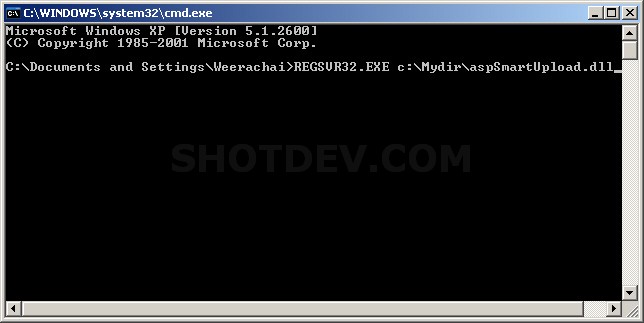
Step 2 Register DLL REGSVR32.EXE c:\Mydir\aspSmartUpload.dll
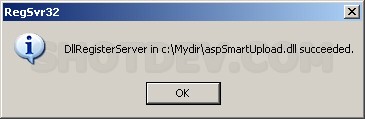
Register Successful
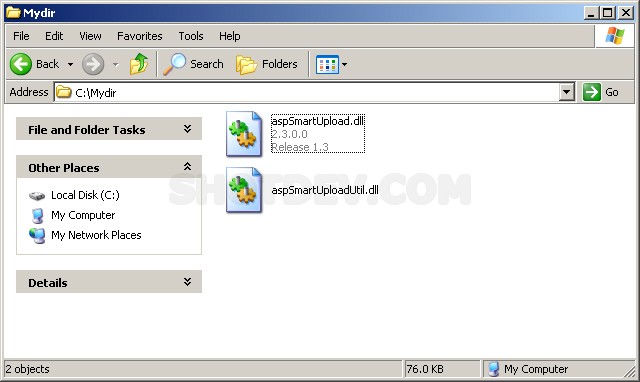
Step 3 Copy aspSmartUploadUtil.dll To C:\Windows\system32
and
Copy aspSmartUploadUtil.dll To C:\Mydir
.
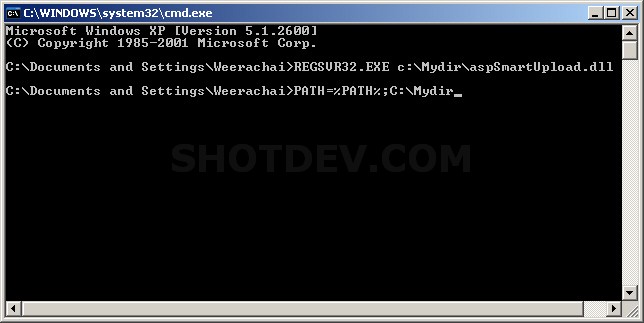
Step 5 Start -> Run -> PATH=%PATH%;C:\Mydir
Example
asp_smartupload.asp
<% Option  Explicit %>
<html>
<head>
<title>ShotDev.Com Tutorial</title>
</head>
<body>
<%
Dim mySmartUpload
Set mySmartUpload = Server.CreateObject("aspSmartUpload.SmartUpload")
If IsObject(mySmartUpload) Then
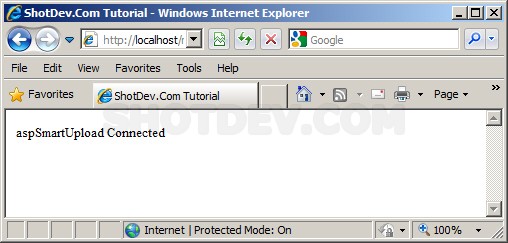
Response.write("aspSmartUpload Connected")
Else
Response.write("Cannot Connect to aspSmartUpload")
End IF
%>
</body>
</html>
Create a asp file and save to path root-path/myasp/
Run
http://localhost/myasp/asp_smartupload.asp
Screenshot
.
.
.
Download this script.



 Loading ...