
How to used ASP & Jump Menu This the tutorial/example a scripts how to use ASP & Jump Menu
ShotDev Focus:
- ASP & Jump Menu
Example
asp_jumpmenu1.asp
<html>
<head>
<title>ShotDev.Com Tutorial</title>
</head>
<script language="JavaScript" type="text/JavaScript">
<!--
function MM_jumpMenu(targ,selObj,restore){ //v3.0
eval(targ+".location='"+selObj.options[selObj.selectedIndex].value+"'");
if (restore) selObj.selectedIndex=0;
}
//-->
</script>
<body>
<form action="asp_jumpmenu2.asp" method="post" name="form1">
Jump Menu <br>
<select name="jmpMenu1" onChange="MM_jumpMenu('parent',this,0)">
<option value="">-------</option>
<option value="asp_jumpmenu2.asp?Vol=Value1">Option1</option>
<option value="asp_jumpmenu2.asp?Vol=Value2">Option2</option>
</select>
<input name="btnSubmit" type="submit" value="Submit">
</form>
</body>
</html>
asp_jumpmenu2.asp
<html>
<head>
<title>ShotDev.Com Tutorial</title>
</head>
<body>
<%
Response.write Request.QueryString("Vol")
%>
</body>
</html>
Create a asp file and save to path root-path/myasp/
Run
http://localhost/myasp/asp_jumpmenu1.asp
Screenshot
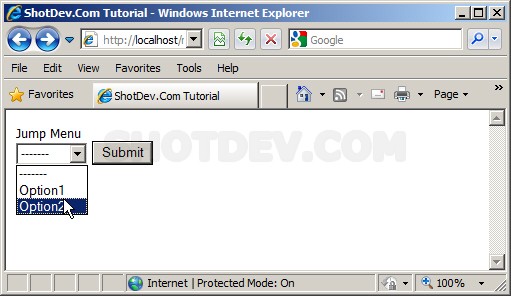
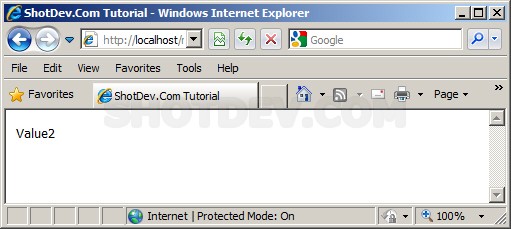
.
.
.
Download this script.



 Loading ...