
ASP.NET(vb.net) & FormView - SQL Server 2000,2005,2008 - System.Data.SqlClient Example scripts how to use FormView control in asp.net , Using Connector System.Data.SqlClient namespace is the .NET Framework Data Provider for SQL Server, how to the connect to Microsoft SQL Server (2000,2005,2008) Database.
ShotDev Focus:
- XXXXXXXXXXXXX
Example
FormView1.aspx
<%@ Page Language="VB" AutoEventWireup="false" CodeFile="FormView1.aspx.vb" Inherits="FormView1" %>

<!DOCTYPE html PUBLIC "-//W3C//DTD XHTML 1.0 Transitional//EN" "http://www.w3.org/TR/xhtml1/DTD/xhtml1-transitional.dtd">

<html xmlns="http://www.w3.org/1999/xhtml" >
<head runat="server">
<title>ShotDev.Com Tutorial</title>
</head>
<body>
<form id="form1" runat="server">
<asp:FormView id="myFormView" runat="server"
AllowPaging="True">
<ItemTemplate>
<table width="500" cellpadding="5" border="0">
<tr>
<td valign="top" align="center">
<asp:Image id="Image1" runat="server"/>
<br />
<h2><asp:Label id="lblGalleryName" runat="server"></asp:Label></h2>
</td>
</tr>
</table>
</ItemTemplate>
</asp:FormView>
</form>
</body>
</html>
FormView1.aspx.vb
Imports System.Data
Imports System.Data.SqlClient

Partial Class FormView1
Inherits System.Web.UI.Page

Protected Sub Page_Load(ByVal sender As Object, ByVal e As System.EventArgs) Handles Me.Load
IF Not Page.IsPostBack() Then
BindData()
End IF
End Sub

Sub BindData()

Dim objConn As SqlConnection
Dim objCmd As SqlCommand
Dim dtAdapter As New SqlDataAdapter
Dim strConnString As String
strConnString = "Server=localhost;UID=sa;PASSWORD=;database=mydatabase;Max Pool Size=400;Connect Timeout=600;"
objConn = New SqlConnection(strConnString)
objConn.Open()

Dim strSQL As String
Dim ds As New DataSet
strSQL = "SELECT * FROM gallery "
objCmd = New SqlCommand
With objCmd
.Connection = objConn
.CommandText = strSQL
.CommandType = CommandType.Text
End With
dtAdapter.SelectCommand = objCmd

dtAdapter.Fill(ds)

'*** BindData to FormView ***'
myFormView.DataSource = ds
myFormView.DataBind()

ds = Nothing

objConn.Close()
objConn = Nothing

End Sub

Protected Sub myFormView_DataBound(ByVal sender As Object, ByVal e As System.EventArgs) Handles myFormView.DataBound
'*** Image ***'
Dim Image1 As Image = CType(myFormView.FindControl("Image1"), Image)
If Not IsNothing(Image1) Then
Image1.ImageUrl = "images/" & myFormView.DataItem("Picture")
Image1.Attributes.Add("OnClick", "window.open('images/" & myFormView.DataItem("Picture") & "')")
Image1.Style.Add("cursor", "hand")
Image1.ToolTip = myFormView.DataItem("GalleryName")
End If

'*** GalleryName ***'
Dim lblGalleryName As Label = CType(myFormView.FindControl("lblGalleryName"), Label)
If Not IsNothing(lblGalleryName) Then
lblGalleryName.Text = myFormView.DataItem("GalleryName")
End If
End Sub

Protected Sub myFormView_PageIndexChanging(ByVal sender As Object, ByVal e As FormViewPageEventArgs) Handles myFormView.PageIndexChanging
myFormView.PageIndex = e.NewPageIndex
BindData()
End Sub

End Class
Create a asp.net file and save to path root-path/dotnet/
Run
http://localhost/dotnet/FormView1.aspx
Screenshot
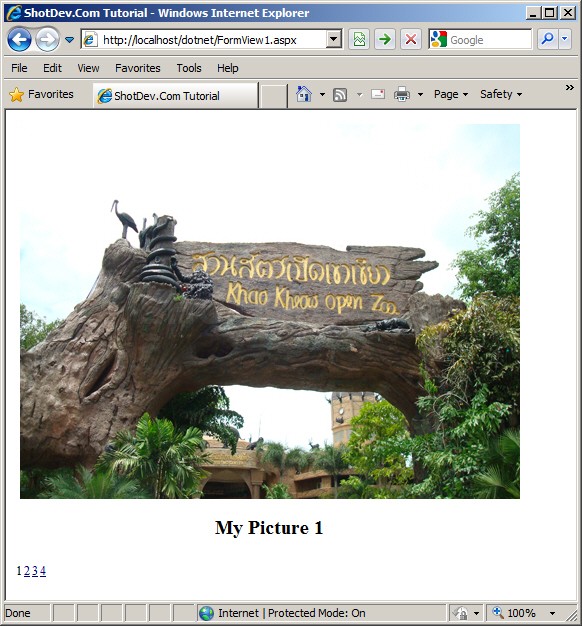
.
.
.
Download this script.


 Loading ...